Headphones in. Focus on.Đeo tai nghe vào. Vào việc luôn.
Cue turns your headphones into a focus switch. Put them in and your Mac turns on your Focus mode, blocks distracting sites and starts a timer. Take them out and it is break time.Cue biến tai nghe của bạn thành công tắc tập trung. Đeo vào, máy Mac tự bật chế độ Focus, chặn các trang gây xao nhãng và chạy đồng hồ. Tháo ra là tới giờ nghỉ.
Open Cue.dmg and drag Cue to Applications.Mở Cue.dmg rồi kéo Cue vào thư mục Applications.
Open Cue. macOS says it could not verify Cue: click OK (newer macOS shows Done).Mở Cue. macOS báo “Apple không thể xác minh rằng Cue không chứa phần mềm độc hại…”: bấm OK (macOS mới hơn hiện Xong, Done).
Open System Settings → Privacy & Security, scroll to Security and click Open Anyway next to "Cue was blocked". Confirm with your password or Touch ID.Mở Cài đặt hệ thống → Quyền riêng tư & Bảo mật (System Settings → Privacy & Security), cuộn xuống phần Bảo mật (Security), bấm Vẫn mở (Open Anyway) cạnh dòng “Cue đã bị chặn để bảo vệ máy Mac của bạn” (“Cue” was blocked to protect your Mac). Xác nhận bằng mật khẩu hoặc Touch ID.
Open Cue again, choose Open Anyway, then follow the one-screen setup.Mở lại Cue, chọn Vẫn mở (Open Anyway), rồi làm theo màn hình cài đặt.
In setup: click Start, enter your password once (site blocking helper), Allow Motion, then turn Cue on in Privacy & Security → Accessibility. Optional: Full Disk Access to pick your own Focus modes.Trong màn cài đặt: bấm Bắt đầu, nhập mật khẩu một lần (helper chặn web), Cho phép Chuyển động, rồi bật Cue trong Quyền riêng tư & Bảo mật → Trợ năng (Accessibility). Tuỳ chọn: Truy cập toàn bộ ổ đĩa (Full Disk Access) để chọn chế độ Focus của bạn.
Check your download (SHA-256):Kiểm tra bản tải (SHA-256):
Why the warning?Sao lại có cảnh báo?Cue is a free hobby app and is not notarized by Apple (that needs a paid developer account), so macOS asks you to confirm once. Comfortable with Terminal? This does the same in one line: xattr -dr com.apple.quarantine /Applications/Cue.appCue là app làm cho vui, miễn phí, chưa được Apple công chứng (notarize, cần tài khoản developer trả phí), nên macOS bắt bạn xác nhận một lần. Quen Terminal thì một dòng là xong: xattr -dr com.apple.quarantine /Applications/Cue.app
A tour of the notchDạo một vòng quanh notch
Pick your Mac, pick a feature, then point at the notch like you would in the app. Your buddies react to everything.Chọn máy Mac, chọn một tính năng, rồi rê chuột vào notch như trong app. Hai bạn nhỏ phản ứng với mọi thứ.
9:41
9:41Tuesday, 7 OctoberThứ ba, 7 tháng 10
48:122
FocusTập trungBreakNghỉ giải laoDo Not Disturb
48:12
12 sites blockedChặn 12 trang2 apps quitĐóng 2 appsites are backCác trang đã mở lạistretch a littleDuỗi người chút nè
Rainy windowCửa sổ mưaSlow morningSáng chậm rãiNight shiftCa đêmCue radio
Mai · nowMai · vừa xongDesign review moved to 3 pmHọp thiết kế dời sang 3 giờ chiều
7Calendar · in 5 minLịch · 5 phút nữaStand-up with the teamHọp nhanh cùng cả nhóm
60
48:12
LockedĐang khóa
Looking for you…Đang tìm bạn…
Welcome back, MinhChào mừng Minh trở lại
TodayHôm nay3 sessions · 2h 10m3 phiên · 2g 10p
skins earnedskin đã nhận
z
z
The notch grows out of the camera cutout. Hover it to open it, tap to pin it.Notch mọc ra từ chỗ camera. Rê chuột vào để mở, chạm để ghim.MacBook Air M1, iMac, Mac mini, Mac Studio: no cutout, so Cue draws a floating 190 × 32 pill instead.MacBook Air M1, iMac, Mac mini, Mac Studio: không có tai thỏ nên Cue tự vẽ một viên thuốc nổi 190 × 32.Plugged into a monitor? The same pill floats at the top of the screen.Cắm màn hình ngoài? Cũng viên thuốc đó nổi ở mép trên màn hình.
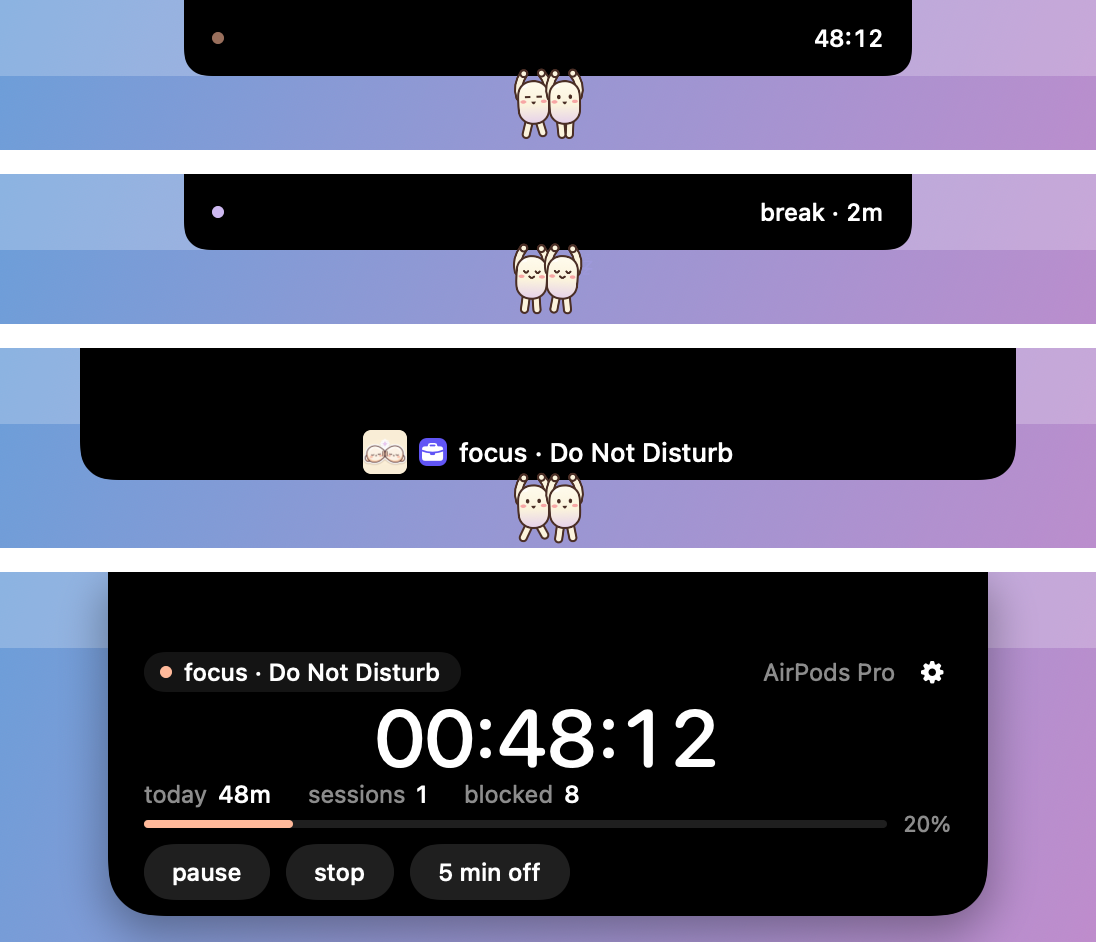
AirPods in: your Focus mode turns on, distracting sites are blocked and the timer starts. Out: break time. The buddies run while you work and nap on your break.Đeo AirPods vào: chế độ Focus bật, trang gây xao nhãng bị chặn, đồng hồ chạy. Tháo ra: giờ nghỉ. Hai bạn chạy khi bạn làm việc và ngủ khi bạn nghỉ.
Whatever plays, from Spotify to a YouTube tab, shows up with artwork and play, next, previous. The buddies dance to it. Read on your Mac only.Bài nào đang phát, từ Spotify tới tab YouTube, đều hiện kèm ảnh bìa và nút phát, tiếp, trước. Hai bạn nhảy theo nhạc. Chỉ đọc trên máy bạn.
Notifications land in the notch instead of the corner. One buddy jumps and points at it, then it tucks away by itself.Thông báo đáp xuống ngay notch thay vì góc màn hình. Một bạn nhảy lên chỉ vào nó, rồi nó tự thu lại.
Volume and brightness show in the notch. The buddies bob to the level, cover their ears when it is loud and squint when it is bright. Try the sliders.Âm lượng và độ sáng hiện ngay trong notch. Hai bạn nhún theo mức âm, bịt tai khi quá to và nheo mắt khi quá sáng. Thử kéo thanh trượt nhé.
Give the notch your own colors. Pick a preset, or hit Mix: Cue blends 3 to 5 colors into three options and you keep the one you like. The buddies cheer and wear the new accent.Cho notch màu của riêng bạn. Chọn màu có sẵn, hoặc bấm Trộn: Cue pha 3 đến 5 màu thành ba phương án, bạn giữ cái mình thích. Hai bạn reo lên và đội màu mới.
Pick 1 of 3:Chọn 1 trong 3:
Lock screen: the buddies peek out. While Cue scans your face they look at the camera. Unlocked: they wave and say welcome back.Màn hình khóa: hai bạn thò đầu ra nhìn. Lúc Cue quét mặt bạn, hai bạn nhìn vào camera. Mở khóa xong: hai bạn vẫy tay chào mừng bạn trở lại.
They hang under your notch and react to what you do. Pick a mood, or point at them in the mock and they blush.Hai bạn đu dưới notch và phản ứng theo việc bạn làm. Chọn một tâm trạng, hoặc rê chuột vào hai bạn là họ đỏ mặt.
The buddies leave the notchHai bạn rời notch đi chơi
Outside a focus session, the buddies roam your whole screen. When focus starts, they jump back onto the notch. They also react to your music, volume, notifications, AirPods and face.Ngoài giờ tập trung, hai bạn chạy khắp màn hình. Bắt đầu tập trung là nhảy về notch. Vẫn phản ứng với nhạc, âm lượng, thông báo, AirPods và khuôn mặt bạn.
Buddies on the looseHai bạn chạy khắp màn hình
They walk on windows, climb their sides, hang from the menu bar and jump between them. Pick one up and throw it, or click it to cheer.Đi trên nóc cửa sổ, leo cạnh, đu thanh menu, nhảy qua lại. Nhấc lên ném đi, hoặc bấm để bạn ấy reo.
Call the crowdGọi cả đám
The loop button sprays 20 to 30 buddies out of the notch. The power button adds ten more each tap, up to 60. Loop again and they all go home.Nút loop phun 20 đến 30 bạn ra khỏi notch. Nút tia sét thêm mười bạn mỗi lần bấm, tối đa 60. Bấm loop lần nữa là cả đám về nhà.
Skins and new dancesSkin và điệu nhảy mới
The skin you pick is worn on the screen too. Eleven dance moves, a new one every phrase, smooth on the beat.Skin bạn chọn cũng mặc khi đi chơi. Mười một điệu nhảy, đổi theo từng đoạn nhạc, mượt theo nhịp.
Music on the notchNhạc trên notch
See what's playing, with artwork and controls. The buddies dance to the beat if you let Cue hear it.Bài đang phát hiện ngay trên notch, có ảnh bìa và nút điều khiển. Hai bạn nhảy theo nhịp nếu bạn cho phép.
Sound in reachÂm thanh trong tay
Per-app volume, an output switch, mic mute on ⌃⌥M. An orange or green dot shows mic and camera. Buddies hush.Chỉnh âm lượng từng app, đổi loa, tắt mic bằng ⌃⌥M. Chấm cam hoặc xanh báo mic, camera. Hai bạn suỵt.
Volume and brightnessÂm lượng và độ sáng
They show on the notch, not as a big box mid-screen. When it is loud, the buddies cover their ears.Hiện ngay trên notch thay cho khung to giữa màn hình. Ồn quá thì hai bạn bịt tai.
Notifications in the notchThông báo vào notch
Notifications from any app land in the notch. The buddies jump up and point at them.Thông báo từ mọi app hiện trên notch. Hai bạn nhảy lên, chỉ tay về phía nó.
Your own colorsMàu của riêng bạn
Pick 3 to 5 colors, then choose one of three gradients. The buddies cheer.Chọn 3 đến 5 màu, rồi chọn một trong ba dải chuyển sắc. Hai bạn reo mừng.
Battery and AirPodsPin và AirPods
Open the case and a card shows each bud's battery, with one-tap connect. Buddies cheer; low battery, they droop.Mở hộp AirPods là thẻ pin từng bên tai hiện ra, kết nối một chạm. Hai bạn reo; pin yếu thì rũ xuống.
Small islandsMấy tiện ích nhỏ
Keep awake, caps lock, an unplug nudge at full charge. One switch hides the notch from recordings.Giữ máy thức, báo Caps Lock, nhắc rút sạc khi đầy. Một công tắc ẩn notch khỏi quay màn hình.
Face UnlockMở khóa bằng khuôn mặt
Opt-in, for Macs without Touch ID. Convenience, not security: a photo of you could open it. The buddies wave.Tùy chọn, cho máy không có Touch ID. Cho tiện, không phải để bảo mật: ảnh hay video của bạn cũng mở được máy. Hai bạn vẫy tay.
Light on your Mac: two roaming buddies cost no more than the notch alone.Nhẹ máy: hai bạn đi chơi không tốn hơn lúc ngồi trên notch.Every changeXem mọi thay đổi
Your ears start it, not an appĐeo tai nghe là bắt đầu
Most focus tools wait for you to open them. Cue starts when you put your headphones in and ends when you take them out. Nothing to remember.Phần lớn app tập trung phải chờ bạn mở lên. Cue thì khác: đeo tai nghe là bắt đầu, tháo ra là kết thúc. Không cần nhớ gì cả.
Focus switches with zero clicksChuyển Focus không cần bấm
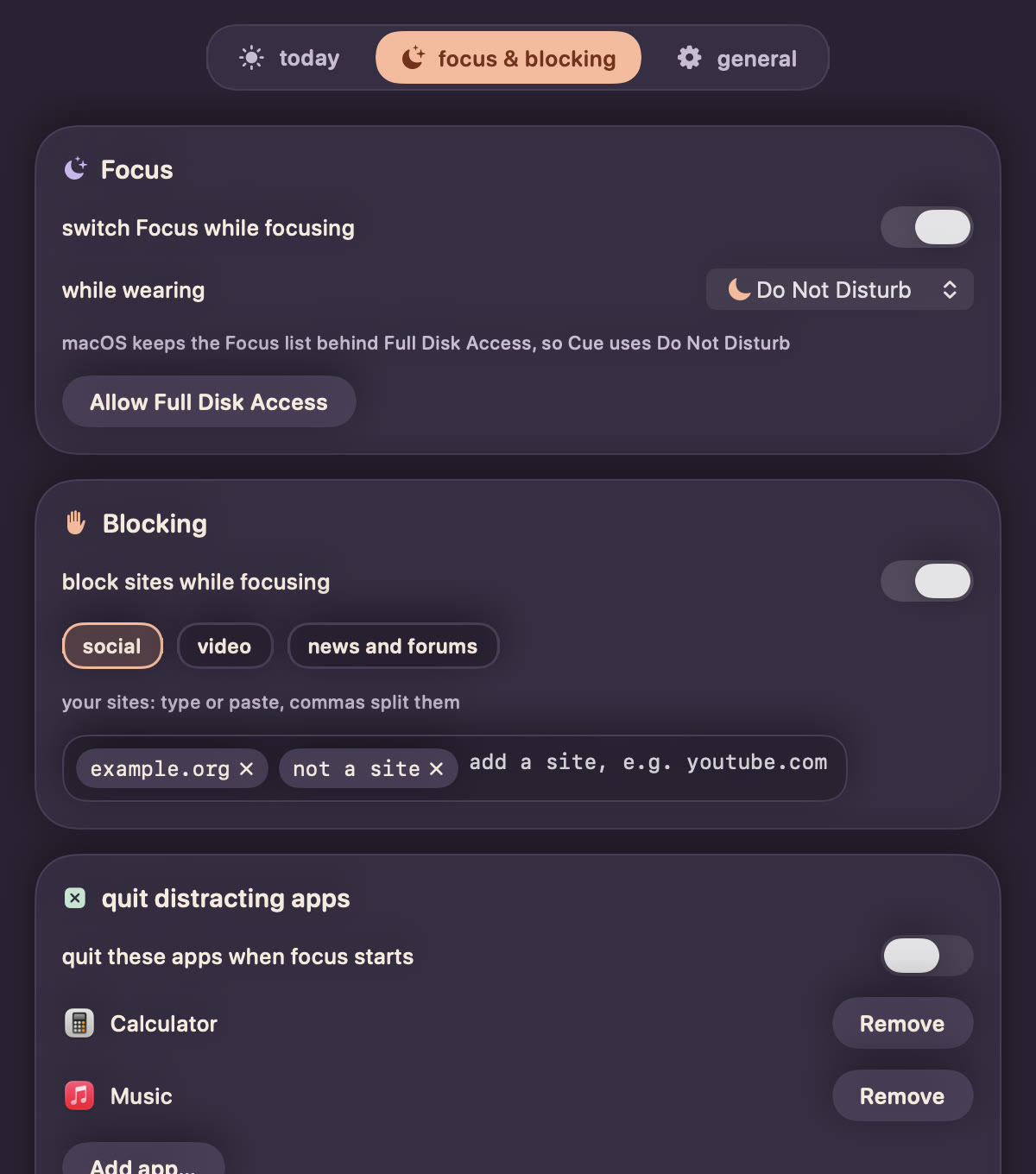
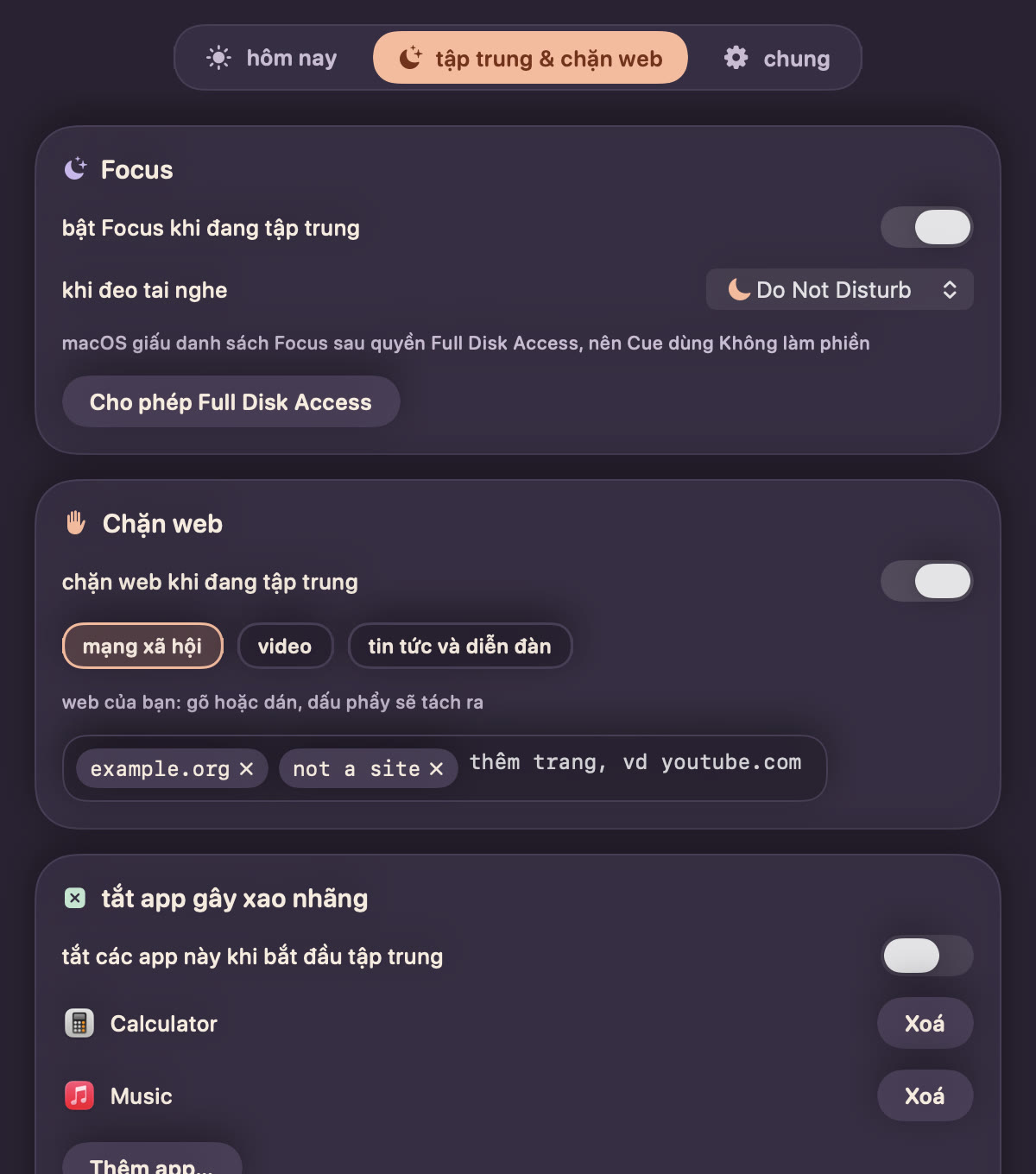
macOS has no public way to set a Focus mode. Cue sets up its own shortcuts once, then switches Focus for you with no more prompts.macOS không có cách chính thức để bật một chế độ Focus. Cue tự cài sẵn các phím tắt một lần, sau đó tự chuyển Focus cho bạn mà không hỏi thêm.
It lives in the notchNằm gọn trong notch
A small dot and a timer next to the camera. Point at it to see your day. No Dock icon, no window in the way.Một chấm nhỏ và đồng hồ cạnh camera. Rê chuột tới là thấy cả ngày của bạn. Không icon trên Dock, không cửa sổ vướng víu.
Blocks sites, quits appsChặn web, đóng app
Social, video and news lists, plus your own sites (paste a comma list, Cue splits it), are blocked while you focus. Apps you list are asked to quit. Both come back when you take a break.Các trang mạng xã hội, video, tin tức và cả trang bạn tự thêm (dán cả dãy cách nhau bởi dấu phẩy, Cue tự tách) sẽ bị chặn khi đang tập trung. App bạn liệt kê sẽ được mời thoát. Nghỉ là mọi thứ trở lại bình thường.
Private and freeRiêng tư và miễn phí
No accounts, no analytics. Your data stays on your Mac. Made with Swift only, light as a feather.Không tài khoản, không theo dõi. Dữ liệu ở lại trên máy bạn. Viết thuần Swift, nhẹ tênh.
How it worksHoạt động thế nào
1Put them in, focus startsĐeo vào, bắt đầu tập trung
Your Focus mode turns on, sites get blocked and the timer starts.Chế độ Focus bật lên, các trang bị chặn và đồng hồ bắt đầu chạy.
2Take them out, break startsTháo ra, bắt đầu nghỉ
After a 10 second grace period, in case you are only adjusting a bud, Focus turns off and your sites come back. The break ends after 15 minutes; you can set it from 5 to 60 in Settings.Sau 10 giây chờ, phòng khi bạn chỉ chỉnh lại tai nghe, Focus tắt và các trang được mở lại. Giờ nghỉ kết thúc sau 15 phút, chỉnh được từ 5 đến 60 phút trong Cài đặt.
3See your dayXem lại ngày của bạn
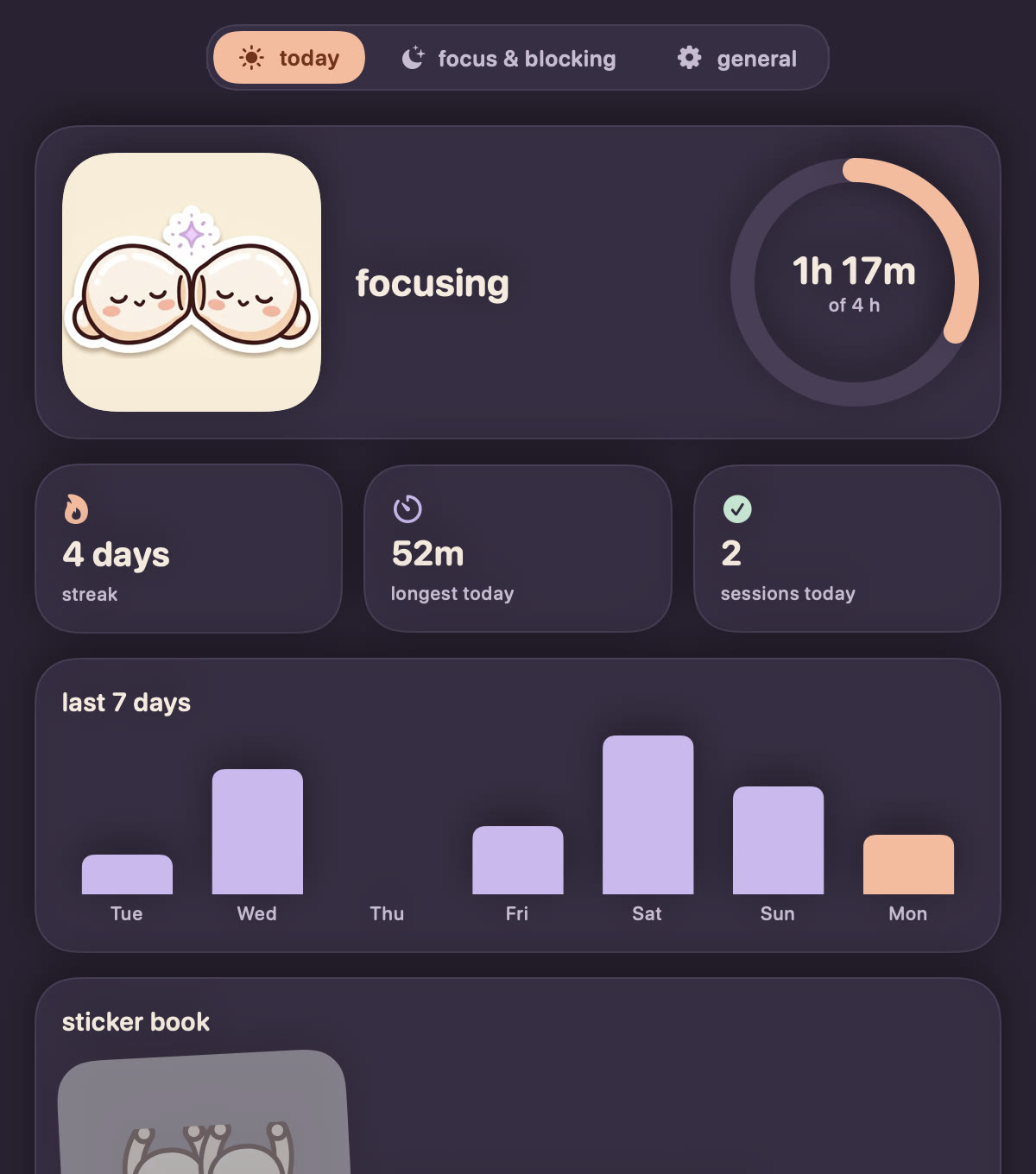
Today against your goal, your streak and the last 7 days, in one place.Hôm nay so với mục tiêu, chuỗi ngày liên tiếp và 7 ngày gần nhất, gọn trong một chỗ.
Small things, done wellViệc nhỏ, làm cho tử tế
Buddies on your notchHai bạn đậu trên notch
They run while you focus, nap on your break, dance when music plays and blush when you point at them.Chạy khi bạn tập trung, ngủ khi bạn nghỉ, nhảy khi có nhạc, rê chuột vào là đỏ mặt.
SkinsBộ skin
All 17 outfits are free from day one. Tap one and the buddies wear it on the notch.Đủ 17 bộ đồ, miễn phí ngay từ đầu. Chạm vào, hai bạn mặc luôn trên notch.
Any headphonesTai nghe nào cũng được
AirPods start when in your ears, other headphones when connected.AirPods bắt đầu khi đeo vào tai, tai nghe khác khi kết nối.
Knows your nameGọi bạn bằng tên
Cue greets you by name and reminds you to drink water and rest.Cue chào bạn bằng tên, nhắc uống nước và nghỉ ngơi.
A look insideNhìn qua một chút
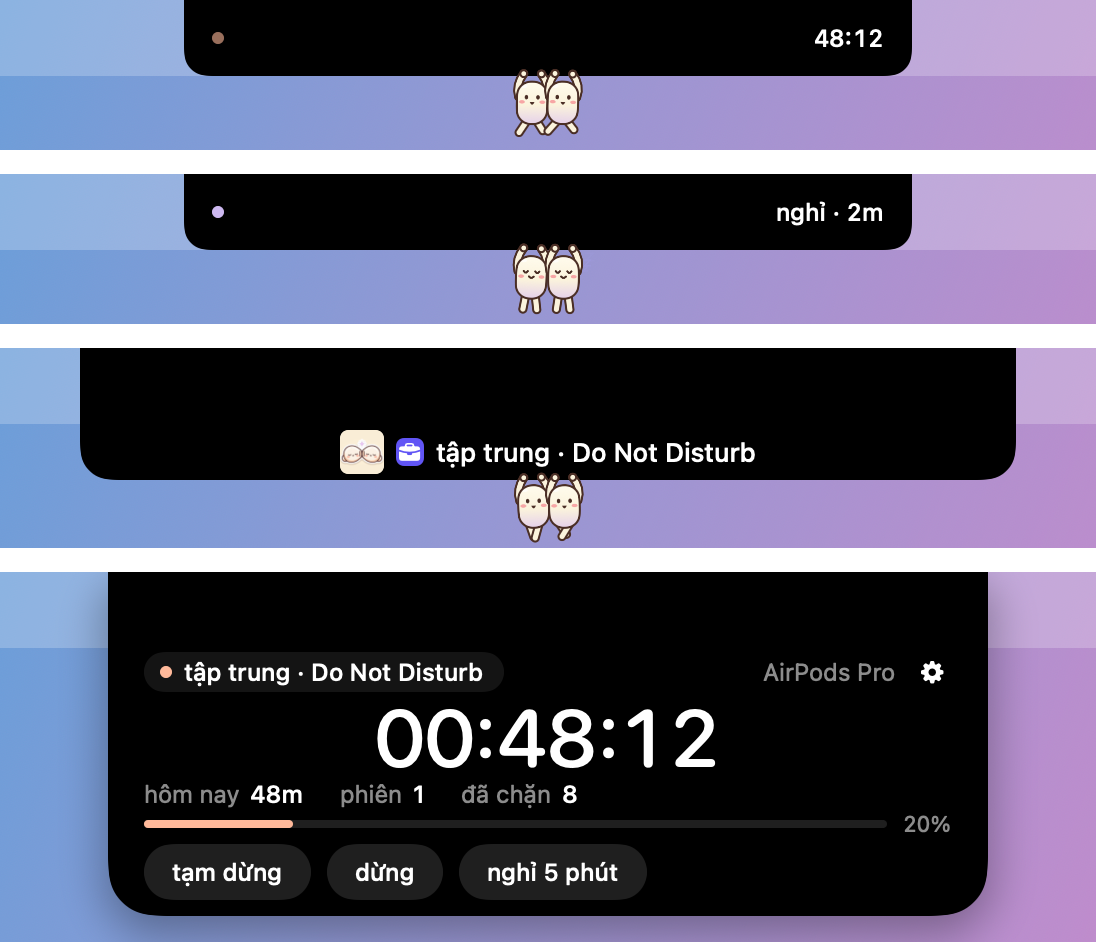
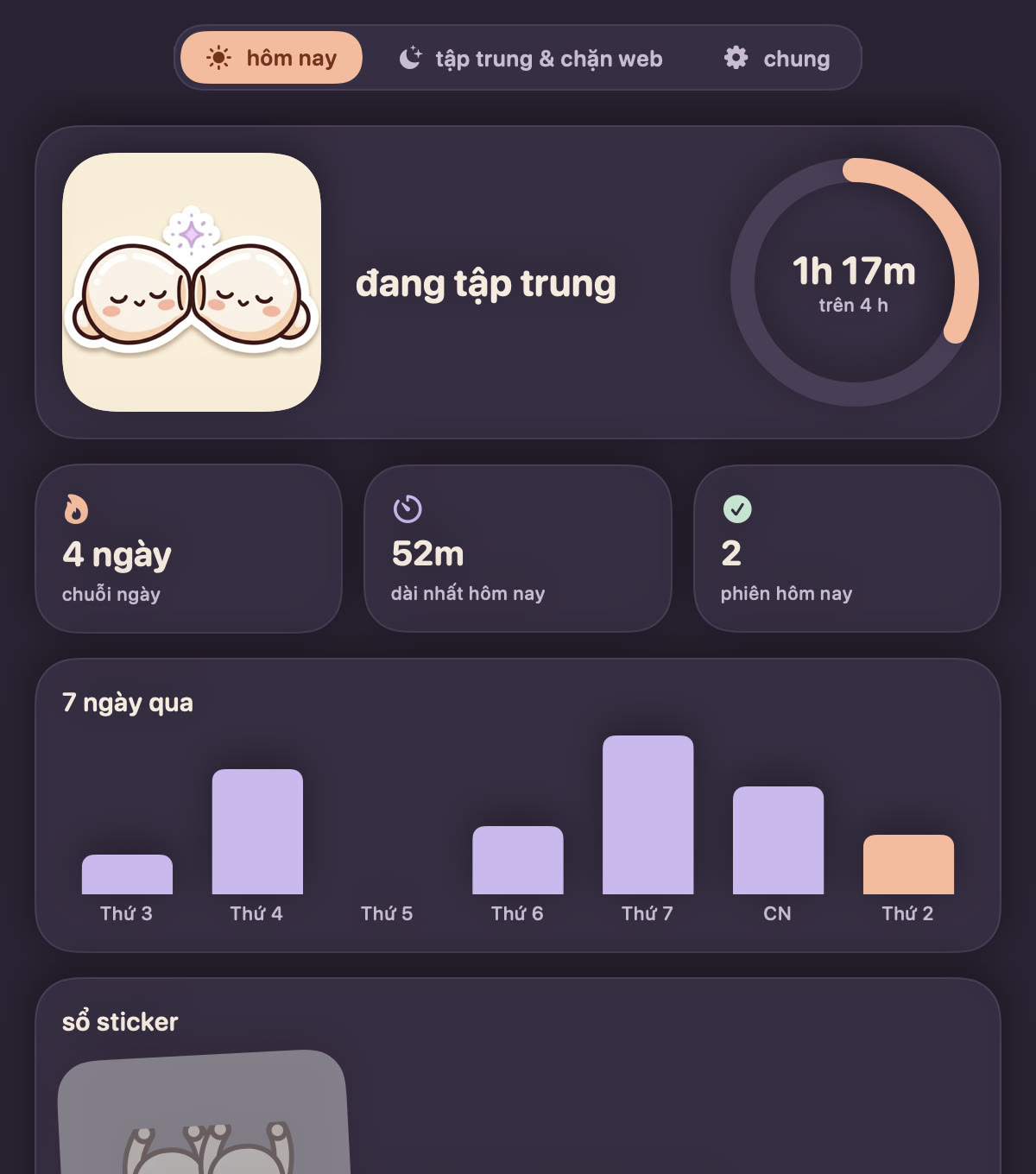
The notch: focusing, on a break, and expanded.Notch: đang tập trung, đang nghỉ và khi mở rộng.The today tab, your little dashboard.Tab hôm nay, bảng theo dõi nhỏ xinh của bạn.Focus, site blocking and apps, all in one tab.Focus, chặn web và tắt app, gọn trong một tab.
QuestionsCâu hỏi thường gặp
Do I need AirPods?Mình có cần AirPods không?
No. Any Bluetooth headphones work, and Cue tells them apart by itself. AirPods Pro, Max, 3 and 4 are the most precise because they report when they are in your ears.Không. Tai nghe Bluetooth nào cũng được, Cue tự nhận ra. AirPods Pro, Max, 3 và 4 chính xác nhất vì chúng báo được khi đang nằm trong tai.
Which Macs does it run on?Cue chạy trên máy Mac nào?
macOS 14 (Sonoma) or later. The download is built for Apple Silicon.macOS 14 (Sonoma) trở lên. Bản tải sẵn dành cho Apple Silicon.
What happens to my data?Dữ liệu của mình đi đâu?
It stays on your Mac. Cue has no accounts and no analytics. It sends only feedback you write yourself, an optional update check that is off by default, and two anonymous one-time setup signals (opened, ready). PrivacyỞ lại trên máy bạn. Cue không có tài khoản, không theo dõi. Cue chỉ gửi góp ý do chính bạn viết, việc kiểm tra bản mới (tùy chọn, mặc định tắt) và hai tín hiệu ẩn danh một lần về việc cài đặt (đã mở, đã sẵn sàng). Quyền riêng tư
Is it really free?Có thật sự miễn phí không?
Yes. Made for fun on a free afternoon with spare tokens, hí hí. No ads, no accounts.Có. Rảnh rỗi, token free nên làm cho vui thôi, hí hí. Không quảng cáo, không tài khoản.